4 Best Flatbed Scanners for Photos (October 2026)
The best flatbed scanners for photos include the Epson Perfection V39 II Flatbed Photo Scanner for stitching large prints, the Canon CanoScan LiDE 400 for a one-cable, quick flatbed, and the Epson Perfection V19 II Flatbed Photo Scanner for a simple budget flatbed.
On this page (11 sections)
- The four best flatbed scanners for photos, in detail
- Flatbed or feed-through: what a flatbed does better for photos
- Prints bigger than the glass
- What the scanner software adds to a flatbed scan
- Side by side: flatbed weight, cable and resolution
- What 4800 dpi means for a scanned print
- How we picked these four flatbed scanners
- How to set up a flatbed for a batch of prints
- Which flatbed scanner for photos fits a small desk?
- How to care for the glass on a flatbed
- Which flatbed scanner for photos should you buy?
The best flatbed scanner for photos is the Epson Perfection V39 II, with 4800 dpi optics, Easy Photo Fix and stitching for big prints. A flatbed lays each print flat on glass, so you control the placement and the speed, which is right for a family photo you want to scan with care.
We compared four flatbeds, from the Epson V39 II at the top to a basic Canon model for a first scanner. The list runs from the top score down, and each one has a short note on who it suits.
Our picks at a glance
-
1
 Best for stitching large prints
Epson Perfection V39 II Flatbed Photo Scanner
8.4/10 our score
See it on Amazon -
2

-
3
 Best for a simple budget flatbed
Epson Perfection V19 II Flatbed Photo Scanner
7.8/10 our score
See it on Amazon
- 4
 Best for a basic first flatbedCheck it
The four best flatbed scanners for photos, in detail
The V39 II scores highest because it adds stitching and cloud sending to a 4800 dpi glass bed. The other three are simpler, and each one suits a different desk and budget.
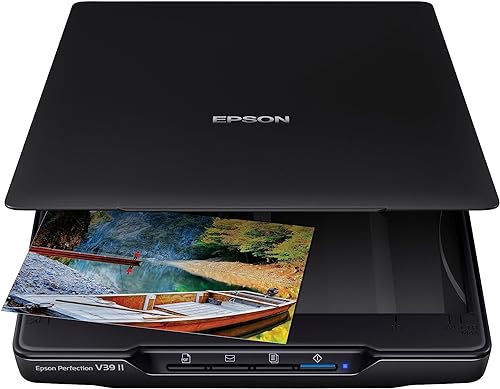
Epson Perfection V39 II Flatbed Photo Scanner
- 4800 dpi optical resolution
- Easy Photo Fix restores faded color in one click
- Stitches oversized images together
- Scan-to-cloud through Epson ScanSmart
The flatbed with the most extras in this group, including stitching for prints bigger than the glass. Its 4800 dpi glass and body match the V19 II, so the choice comes down to the extras.
Pros
- Stitching handles oversized prints
- Easy Photo Fix for faded color
- Cloud sending through Epson ScanSmart
Cons
- USB only, with no wireless option
- One print per pass, so a big box takes time
The Perfection V39 II has 4800 dpi optical resolution, which is the figure Epson leads with. It's the strongest flatbed here for a print you want to keep, since you place it on the glass yourself.
Easy Photo Fix restores faded color with a single click. That helps with prints that have turned yellow or lost their contrast over the years.
Stitching is the feature that sets it apart. The V39 II can join oversized images from several passes into one file, so a print larger than the glass still comes out whole.
Epson's ScanSmart software can also send scans to cloud storage services. The scanner weighs 3.1 pounds and connects over USB.
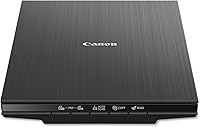
Canon CanoScan LiDE 400
- 4800 x 4800 dpi optical resolution
- One USB-C cable for data and power
- EZ buttons and auto scan mode
- Built-in PDF buttons for multi-page files
A flatbed that runs from one USB-C cable and scans a page in as little as 8 seconds, per Canon. Its color restore and dust removal suit faded family prints.
Pros
- One cable carries data and power
- EZ buttons and auto scan mode
- Color restore and dust removal, per Canon
Cons
- USB only, with no wireless option
- Canon's compatibility notes stop at Windows 10 and macOS High Sierra
The LiDE 400 runs from one cable. Canon's USB-C cable carries both data and power, so the desk has one line to manage.
Canon says it can scan as fast as 8 seconds, and its EZ buttons send a scan with a single press. Auto scan mode detects whether you've placed a photo or a document on the glass.
The 4800 x 4800 dpi resolution matches the V39 II's 4800 dpi figure. Canon also names color restore and dust removal, which help with older prints that have specks or a faint cast.
The scanner has no wireless option, so the USB-C cable is the only way in. Canon's setup needs the ScanGear MP driver installed.
Canon's compatibility notes stop at Windows 10 and macOS High Sierra. Check the current versions on Canon's support page before you order.
Epson Perfection V19 II Flatbed Photo Scanner
- 4800 dpi optical resolution
- Easy Photo Fix restores faded color
- High-rise removable lid for thicker items
- USB powered
A simple flatbed with the same 4800 dpi glass and body as the V39 II. It skips the stitching and cloud features, which suits a plain photo job.
Pros
- Same 4800 dpi and body size as the V39 II
- Easy Photo Fix for faded color
- USB powered with a high-rise lid
Cons
- No stitching or cloud sending in its feature list
- One print per pass, like any flatbed
The V19 II has the same 4800 dpi glass and body size as the V39 II. It's the budget flatbed on this list, and it fits a steady flow of prints rather than a huge box.
Easy Photo Fix works here too, so faded photos get the same one-click color restore. You don't lose the core photo features by choosing the cheaper model.
The high-rise, removable lid lifts for thicker items, such as a page from a bound book. The scanner is USB powered, so one cable does both jobs.
Its feature list doesn't include stitching or cloud sending. If you scan big prints or want the scans in the cloud, the V39 II is the better buy.
Canon CanoScan LiDE 300
- Flatbed with Auto Scan mode
- Built-in PDF and copy buttons
- USB connection with a USB 2.0 Mini-B cable in the box
- Scans documents and images
The simplest flatbed here, with Auto Scan mode and PDF buttons. It's the budget entry for someone who has a few prints to scan and wants no extra steps.
Pros
- Low cost for a flatbed in this group
- Auto Scan mode detects the item on the glass
- Simple controls with PDF and copy buttons
Cons
- 2400 dpi optical, half the 4800 dpi of the others
- Older cable type than the LiDE 400's USB-C
The LiDE 300 is the simplest flatbed here, and it's the entry point for someone who has a few prints to scan. It's 14.5 inches deep and 9.9 inches wide, and it weighs 3.6 pounds.
Auto Scan mode detects what's on the glass, and PDF and copy buttons on the unit start a scan with one press. It's built for everyday scanning of documents and images.
The box includes a USB 2.0 cable with a Mini-B end, while the LiDE 400 uses USB-C. Check that your computer has the right port, or buy an adapter, before you plan the desk.
Canon rates it at 2400 x 2400 dpi optical resolution, half the 4800 dpi of the other three. That is plenty for 4 x 6 prints at 600 dpi, but if you plan big enlargements, pick one of the 4800 dpi flatbeds above.
Flatbed or feed-through: what a flatbed does better for photos
A flatbed gives you control over every print, which matters for a photo you can't replace. You choose the placement, watch the scan and rescan a print that came out crooked.
A feed-through scanner moves prints faster, but it pulls each one through rollers. A flatbed handles curled, thick or stuck-together prints more gently, since you lay each one flat.
Our flatbed or sheetfed comparison explains the trade-off in more detail. For a stack of prints, the best photo scanner for old family photos covers the feed models too.
Prints bigger than the glass
Most family prints are 4 x 6 or 5 x 7 inches, so every flatbed here handles them without trouble. The LiDE 400 scans up to 8.5 by 11.7 inches, which covers a letter-size page or an 8 x 10 print.
For a larger print, the V39 II can stitch several passes into one file, according to Epson. Check the size of your biggest print before you buy, and measure the glass on the model you pick.
What the scanner software adds to a flatbed scan
Software decides what you can do with a scan once it leaves the glass. The V39 II's software sends scans to cloud storage services and stitches oversized prints, so it does the most after the scan.
Flatbed scanner software for photos
The V19 II uses the same Easy Photo Fix tool, which restores faded color with one click. That covers most of the color work a basic family batch needs.
The LiDE 400 has built-in PDF buttons that save multi-page files Canon describes as editable and searchable. The LiDE 300 uses PDF, copy and send buttons, which cover the basics for a few prints.
If you keep your archive in the cloud, the V39 II is the model to pick. A computer-only archive works with any flatbed here, as long as its driver runs on your system.
Side by side: flatbed weight, cable and resolution
All four flatbeds are close in size, and the two Epson models are the lightest at 3.1 pounds. Both Canon models weigh 3.6 pounds, so cable and features matter more than weight.
| Product | Best for | Weight | Connection | Optical resolution | Our score |
|---|---|---|---|---|---|
| Epson Perfection V39 II Flatbed Photo Scanner | stitching large prints | 3.1 lb | USB | 4800 dpi | 8.4 |
| Canon CanoScan LiDE 400 | a one-cable, quick flatbed | 3.6 lb | USB-C, one cable for data and power | 4800 x 4800 dpi | 8.2 |
| Epson Perfection V19 II Flatbed Photo Scanner | a simple budget flatbed | 3.1 lb | USB, USB powered | 4800 dpi | 7.8 |
| Canon CanoScan LiDE 300 | a basic first flatbed | 3.6 lb | USB | 2400 x 2400 dpi | 7.0 |
The V39 II, LiDE 400 and V19 II all have 4800 dpi optical resolution. The LiDE 300 is rated at 2400 dpi, so treat it as a basic scanner for everyday prints.
Cables are the other difference. The LiDE 400 uses USB-C, and the LiDE 300 uses a Mini-B cable, while the two Epson models use USB.
What 4800 dpi means for a scanned print
Dpi is the number of dots the scanner reads per inch, and a higher number gives a bigger file with more detail. It doesn't make a print look better on its own, because the print's own detail sets the limit.
A 4 x 6 print scanned at 600 dpi becomes a file of about 2,400 by 3,600 pixels. That's enough for most family prints, and it's easy to share and print at a standard size.
Scanning at 4800 dpi makes a much larger file that takes longer to save and share.
Save the top setting for a small print you want to enlarge, and use 600 dpi for the rest of the pile. Our guide to the best DPI for scanning old photos walks through the choice.
How we picked these four flatbed scanners
We compared the specs, features and connection details each maker gives for flatbeds. Our score weighs specs, features and buyer feedback against what you're shopping for.
Each flatbed faced the same questions, and the answers set the order. A budget model can still rank well when its features fit the job, so the score reflects fit rather than price alone.
- What optical resolution does the maker state?
- How much desk space and cable does it need?
- Does it fix faded color or restore dust and specks?
- Can it handle prints bigger than the glass?
- What software and cloud options come with it?
Here's how the scores landed:
- Perfection V39 II, 8.4: the most extras, including stitching and cloud sending.
- CanoScan LiDE 400, 8.2: one USB-C cable and quick scans, per Canon.
- Perfection V19 II, 7.8: the same glass and body as the V39 II, with fewer features.
- CanoScan LiDE 300, 7.0: a basic flatbed with 2400 dpi optics for a few prints and no extra steps.
How to set up a flatbed for a batch of prints
Set the scanner on a flat, steady surface with room to open the lid fully. A wobbly desk makes the lid bounce and blurs a scan.
Setting up a flatbed scanner for photos
Install the maker's software before you connect the cable, and follow the setup steps in the manual for your model. Our guide to scanning photos to a Windows computer walks through the cable, software and folder steps, and sorting prints by size and tone first lets each batch scan with the same settings.
Lay each print face down on the glass, line it up with the corner marks and close the lid gently. Name each file as you go, with the person, the place and the year if you know it, so the archive stays searchable.
Which flatbed scanner for photos fits a small desk?
All four flatbeds are close in size, so choose by cable and features. The Epson models are the lightest, and the LiDE 400 gives you one USB-C cable.
A small desk also needs room for the lid to open. Measure the depth of your desk against the maker's size figures, and leave a little room behind the scanner for the cable.
How to care for the glass on a flatbed
Clean the glass before each batch, since a speck shows up as a mark on every scan. Our guide to cleaning a flatbed scanner glass covers the steps.
Lay the print face down, close the lid gently and avoid pressing on the glass. Check the maker's manual for the cleaner it allows.
Which flatbed scanner for photos should you buy?
Buy the Epson Perfection V39 II if you want stitching and cloud sending with 4800 dpi glass. Buy the Canon LiDE 400 if you like one cable and quick scans.
The V19 II is the budget pick for the same glass, and the LiDE 300 suits a first scanner on a tight budget. Check your computer's ports and the operating system you run before you order.
If you also have slides or negatives, a flatbed won't replace a film scanner, so read the best slide scanner guide before you buy.
Before you start the full pile, scan five prints and check them on a large screen. That small step shows whether the settings suit your prints.
If you're still choosing between scanner types, our photo scanner buying guide sorts them by what you want to scan.
Our top 3 picks at a glance
-
1
Best for stitching large prints
Epson Perfection V39 II Flatbed Photo Scanner
8.4/10 our score
See it on Amazon -
2
-
3
Best for a simple budget flatbed
Epson Perfection V19 II Flatbed Photo Scanner
7.8/10 our score
See it on Amazon
Frequently asked questions
What is the best flatbed scanner for photos?
The Epson Perfection V39 II is the best pick here, because it pairs 4800 dpi optical resolution with Easy Photo Fix and stitching for big prints. The Canon LiDE 400 is the pick if you want a single USB-C cable and quick EZ buttons.
Is a flatbed scanner better than a feed-through scanner for photos?
A flatbed gives you control over each print, and it copes better with prints that are curled, thick or stuck to a page. A feed-through scanner moves a stack faster, so pick it when volume matters more than control.
What dpi do I need for a flatbed scanner for photos?
For most family prints, 600 dpi is enough, since a 4 x 6 print at 600 dpi already gives a sharp file. Use the highest setting only for large enlargements or prints you want to zoom into.
Do flatbed scanners work with Windows 11?
Check the maker's support page before you buy. Canon's compatibility notes for the LiDE 400 stop at Windows 10, so confirm your system before you order.
Can a flatbed scanner handle slides and negatives?
The four flatbeds in this list are for prints, not film. Our guides to scanning slides and negatives with a flatbed explain which flatbeds can do film, and which need a film scanner instead.