
How to Digitize Photos
Best DPI for Scanning Old Photos
The best dpi for scanning old photos is 600 for most prints, with higher settings for slides and negatives. Learn when 300 dpi is enough and why.
Step-by-step guides: DPI, formats, cleaning, connecting, and what a scan can and cannot do.
The best dpi for scanning old photos is 600 for most prints, with higher settings for slides and negatives. Learn when 300 dpi is enough and why.

The best way to scan old photos at home is a flatbed scanner at 600 dpi, one print at a time. Here is how to set it up and scan each print safely.
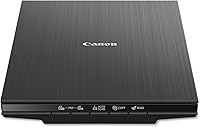
Does scanning old photos damage them? Learn the real risks, which prints need extra care, why a flatbed is gentler and how to protect the originals.

How to clean a flatbed scanner glass in steps: unplug, dampen the cloth, wipe, dry and check a trial scan. Dust and specks show up in every scan.
How to digitize old family photos at home, step by step: sort the prints, clean the glass, scan at the right dpi and store the originals safely.
Scan photos to a Windows computer with a photo scanner: check the system, install the software, connect, scan a trial print and save to a folder.