Does Scanning Old Photos Damage Them?
Does scanning photos damage them? Rarely, for sturdy prints on a flatbed, but fragile, curled or stuck-together prints need extra care. Test one print first, never force a print under the lid, and keep the original once it's scanned.
On this page (10 sections)
- What can go wrong when you scan an old print
- Why a flatbed is the gentler choice for most prints
- Which prints need extra care
- Signs a print is too fragile to scan
- Feed scanners and fragile prints
- Protect the originals during the project
- Scan each print once, at the right setting
- Clean the glass before every session
- Scans are copies, not replacements
- The short answer: does scanning photos damage them?
Does scanning photos damage them? Most old prints come through a careful scan without trouble, and the risks that remain are easy to control.
The real risks come from handling, dust, pressure and the wrong kind of feed path. This guide covers what can go wrong, which prints need extra care, why a flatbed is usually the gentler choice and how to protect the originals.
What can go wrong when you scan an old print
Handling is the most common risk. A bent corner, a fingerprint on the surface or a print dropped on the floor does more harm than the scanner does.
Dust on the glass can scratch a print when you slide it across. Clean the glass first, and lift the print rather than dragging it.
A thick album pressed under a closed lid can strain its binding. Raise the lid for thick items, and never force a book flat to get it to scan.
Why a flatbed is the gentler choice for most prints
A flatbed keeps the print still while the lamp passes underneath. Nothing pulls the print through rollers, which is the main reason a flatbed is gentler on old paper.
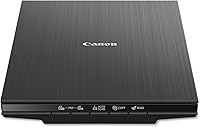
The Canon LiDE 400 and Epson V39 II both use LED lamps, which produce less heat than older lamp types. The scanning head moves underneath the glass, so the print itself stays in place.
Which prints need extra care
Check each print before it goes on the glass. Cracks, flaking surfaces, curled corners and prints stuck to the next one call for a slow, careful approach.
Don't press a curled print flat, and don't use tape to hold it down. If a print won't lie flat without force, set it aside for a slow session instead.
Set aside anything valuable that is badly damaged. A professional can advise on that kind of print, and that is a better path than trying a rushed scan.
Signs a print is too fragile to scan
Some prints show their fragility before you touch them. Look for flaking emulsion, a surface that lifts when you tilt the print, and corners that crack at a light touch.
Prints stuck to a neighbor, or glued into an album page, should stay where they are until someone can look at them. Pulling them apart can take the surface with them.
If a print feels brittle, don't put it through a feeder. A flatbed session with plenty of time is the gentler option, and a professional is the right call for anything you can't replace.
Feed scanners and fragile prints
A feed scanner pulls each print through rollers, and that's the main difference from a flatbed. It is fast and well suited to sturdy prints, but the feed path can catch a print that is cracked, thin or curled.
Epson says the FastFoto handles Polaroids, panoramas and postcards. The maker's notes on print condition are the place to check what it accepts.
Keep fragile prints off the feeder. Put them on the flatbed instead, and use the feeder for the sturdier pile.
Does scanning photos damage them in a feeder
A feeder is a real risk only for prints that can't take the rollers. Sturdy prints usually run through without trouble, so test a few before you commit the batch.
If a print jams or bends in the feed path, stop the run and check that print before you go on. A single bad print is easier to fix than a whole batch of damage.
Protect the originals during the project
Keep each original in a box once it's scanned. A box keeps prints flat, dry and out of the way while the rest of the project runs.
Keep originals out of direct sunlight, away from damp and away from heat. The box guards against dust and handling, while the room you store it in controls sun, heat and moisture.
Scan each print once, at the right setting
Each scan exposes the print to the lamp for a short time, so repeated scans add up. Get the setting right the first time, and avoid running the same print again just to check.
Test one print first. Scan it, check the file on a big screen and only then run the rest, so you know the settings work for your prints.
Our DPI guide for old photos explains which setting suits which print. Our step-by-step guide covers the whole process.
Clean the glass before every session
Dust on the glass can scratch a print, and it shows up on every scan too. Clean the glass before each session, and use the steps in the maker's guide if you're unsure how.
Our guide to cleaning a flatbed scanner walks through the glass step in more detail.
Scans are copies, not replacements
A scan is a copy, not a replacement for the original. Keep the paper print safe, and back up the scans in two places so a single failure doesn't cost you the set.
Store the files in a clear folder structure, with the originals and the scans linked by name. That makes it easy to find the matching print later.
The short answer: does scanning photos damage them?
Scanning on a flatbed is gentle for most sturdy prints, and the risk comes more from handling than from the scanner. Test one print, raise the lid for thick items and keep the originals in a safe box once each one is done.
Set aside cracked, curled or stuck-together prints for a slow session. Those are the ones that need the most care, and a professional is the right choice for anything valuable.
For the full project, how to digitize old photos walks through each step from sorting to storage.
For the full range of photo scanners, see our photo scanner buying guide.
Frequently asked questions
Can a scanner damage a fragile photo?
It can, if the print is cracked, curled or stuck to another print, or if it's forced under the lid. Set those prints aside for a slow session, and talk to a professional if a print is valuable to the family.
Is a flatbed or a feeder safer for old photos?
A flatbed is the gentler choice for thick or fragile prints, because nothing pulls the print through rollers. A feeder is faster for sturdy prints, so test a few before you load a big batch.
Does scanning fade old photos?
Each scan exposes a print to the lamp for a short time, so repeated scans add up more than a single pass. Scan each print once at a good setting, and keep the originals out of direct light afterward.