5 Best Document Scanners for Home Use (October 2026)
The best document scanners for home use include the ScanSnap iX1300 for a small desk and two-sided pages, the Epson Workforce ES-400 II for a stack of household papers, and the Epson Workforce ES-50 for a few pages at a time.
On this page (10 sections)
- How to choose a document scanner for home papers
- How we picked these five
- The five picks in detail
- Desk space and feeder size come first
- Searchable PDFs and file formats decide how useful a scan is
- Connections: USB, Wi-Fi and cloud sending
- Pages per minute at home
- Keeping scans of private papers safe
- Keeping a feeder scanner running well
- Final pick: the best document scanner for your home
The best document scanner for most homes is the ScanSnap iX1300, which scans both sides of a page in one pass on a small desk. The right model still depends on how many pages you scan at once and how much desk space you have.
We compared the specs and features of the document scanners that came up for this search. The five picks below run from a desk model with a feeder to a light single-sheet scanner you can carry.
Our picks at a glance
-
1
-
2

-
3

How to choose a document scanner for home papers
Start with the paper you handle most. Bills and forms usually arrive in stacks, while receipts and cards come one at a time.
Feeder size decides how often you reload. A 50-sheet feeder can take a long stack in one sitting, while a single-sheet scanner goes one page at a time.
Two-sided scanning saves time on forms and letters printed on both sides. Four of the five picks here scan both sides in one pass, and the Epson ES-50 scans one side at a time.
Searchable output matters more than most buyers expect. A scan saved as a plain picture can't be searched for an account number or a name, so check for OCR before you buy.
For a fuller walkthrough of the home-paper choice, see our guide to choosing a document scanner for home papers.
Which document scanner suits your household
A household that sorts bills, letters and school forms benefits most from a feeder. The Epson ES-400 II takes a 50-sheet stack and handles both sides at once.
A home office with a laptop may prefer the ScanSnap iX1300. It fits a small desk and connects over Wi-Fi as well as USB.
How we picked these five
Our score weighs specs, features and buyer feedback against what you're shopping for. For home papers, we gave the most weight to two-sided scanning, feeder size, searchable output and how much desk space each model takes.
We also looked at connections. USB is the simplest option, while Wi-Fi lets you send a scan to a phone or a cloud account without a cable.
Speed figures come from each maker, so we label them that way. A faster number helps most when you scan big stacks, and it matters less for a few pages a week.
| Product | Best for | Type | Connection | Speed | Our score |
|---|---|---|---|---|---|
| ScanSnap iX1300 | a small desk and two-sided pages | Desk duplex scanner | Wi-Fi or USB | Up to 30 pages per minute, duplex | 8.6 |
| Epson Workforce ES-400 II | a stack of household papers | Desk duplex scanner with feeder | USB | Up to 35 pages per minute | 8.4 |
| Epson Workforce ES-50 | a few pages at a time | Single-sheet portable scanner | USB, no batteries | As fast as 5.5 seconds per page | 8.2 |
| Brother DS-740D | two-sided pages in a tight space | Duplex mobile scanner | USB, powered by the cable | Up to 16 pages per minute | 7.9 |
| Canon imageFORMULA R10 | receipts and plastic cards | Portable duplex scanner with feeder | USB, powered by the cable | Up to 12 pages per minute | 7.8 |
The five picks in detail
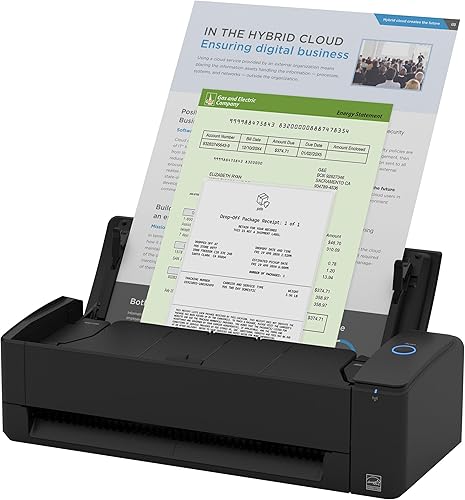
ScanSnap iX1300
- Scans both sides of a page in one pass
- Wi-Fi or USB connection
- Handles plastic cards and thick items
A two-sided desk scanner that connects over Wi-Fi as well as USB, so a scan can go to a phone or a cloud account.
Pros
- Scans both sides in one pass
- Wi-Fi as well as USB
- Takes plastic cards and thick items
Cons
- At 4.4 pounds, it's a desk unit, not a bag unit
- Costs more than the portable models here
The iX1300 is the pick for a small desk that still handles real work. It scans both sides of a page in one pass, and ScanSnap rates it at up to 30 pages per minute on duplex scans.
At 4.5 inches deep and 11.7 inches wide, it sits beside a keyboard without crowding it.
The scanner connects by USB or Wi-Fi. That means you can scan to a computer, a phone or a cloud account, and you don't need to run a cable to the spot.
The feeder takes plastic cards and thicker items too, which helps with a mixed pile.
The software is ScanSnap Home, an all-in-one app for documents, receipts and photos, and its Quick Menu sends scans to other apps.
At 4.4 pounds, the iX1300 is heavier than the mobile models here, so plan on keeping it on the desk.
Epson Workforce ES-400 II
- 50-sheet automatic feeder
- Color duplex scanning
- Searchable PDFs with OCR
A desk scanner with a 50-sheet feeder that clears a stack of bills, letters and forms in one sitting.
Pros
- Feeds a 50-sheet stack
- Scans both sides at once
- Makes searchable PDFs and editable Word or Excel files
Cons
- The biggest and heaviest pick here, at about 8 pounds
- It needs a fixed spot on a desk, so it doesn't suit a bag
The ES-400 II is for the household with a stack of papers to clear. Its 50-sheet automatic feeder takes a stack at once, and Epson rates it at up to 35 pages per minute.
Both sides scan in one pass, so a double-sided letter doesn't need a second run. The scanner makes searchable PDFs with OCR, so you can search a scanned statement later for a number or a name.
It can also convert scans to editable Word or Excel files. Auto crop and blank page removal tidy up the scans, and ultrasonic double feed detection helps catch two sheets pulled together.
It is the largest pick here, at about 11.6 inches wide and 6.9 inches tall, and it weighs about 8 pounds. That suits a permanent spot on a desk or a shelf, but it doesn't suit a bag.
Epson Workforce ES-50
- Single-sheet feed, USB powered
- Includes Nuance OCR
- Documents up to 8.5 by 72 inches
A light scanner that runs off USB and handles one sheet at a time, which suits a few pages a week.
Pros
- No batteries or power adapter
- Fast on a single page
- Includes OCR for searchable PDFs
Cons
- It feeds one sheet at a time, so a long stack is slow
- It doesn't scan both sides in one pass
The ES-50 is the simplest pick on the list, and the one to try first if you scan a few pages at a time. It is a single-sheet scanner that runs off USB, so there are no batteries or adapter to keep track of.
Epson says it scans a single page in as little as 5.5 seconds. It handles documents up to 8.5 by 72 inches long, which covers a long receipt or a folded form.
Epson's ScanSmart software saves the scan, and the included Nuance OCR makes searchable PDFs and editable Word and Excel files.
The trade-off is speed on a big stack. It feeds one sheet at a time and scans one side only.
At 9.44 ounces and about 10.7 inches wide, it's light enough for a bag, which is the point of it.
Brother DS-740D

- Duplex scanning in one pass
- USB powered, with a micro USB cable
- Desk Saving Design
A duplex mobile scanner that frees up desk space and reads both sides of a page without a second pass.
Pros
- Scans two-sided pages in one pass
- Color scans run at the same speed as black and white
- Brother says the Desk Saving Design frees up 11 inches of desk space
Cons
- Built for a few pages at a time, not a long stack
- Scans go through the iPrint&Scan app or the computer
The DS-740D is a duplex mobile scanner, so it reads both sides of a page in one pass. Brother rates it at up to 16 pages per minute on single and double-sided pages, and it scans color at the same speed as black and white.
Brother says its Desk Saving Design frees up 11 inches of desk space. It draws power from the included micro USB cable, so you can scan where there is no outlet nearby.
The iPrint&Scan app sends scans to email, cloud accounts and OCR. It's built for a few pages at a time, not a long stack.
That suits a home desk next to a laptop better than a full filing project. It's also a good match for two-sided forms.
Canon imageFORMULA R10

- Duplex with a 20-sheet feeder
- USB powered
- Built-in software that needs no install
A small duplex scanner with a 20-sheet feeder that takes receipts, business cards and plastic cards as well as paper.
Pros
- Scans both sides at the same time
- Built-in software needs no installation
- Canon suggests a daily volume of 500 scans
Cons
- Slower than the desk models
- A big stack needs a few loads
The R10 is a small duplex scanner with a 20-sheet feeder. It scans both sides of a page at the same time, in color, black and white or grayscale, at up to 12 pages per minute, according to Canon.
Canon lists it for receipts, business cards, plastic and embossed cards, and reports. The scanner runs off USB, so it needs no separate power supply.
Its built-in software needs no installation and updates on its own, which keeps setup short. Canon suggests a daily volume of 500 scans, which is plenty for a home.
It is slower than the desk models, and the 20-sheet feeder means a big stack needs a few loads.
Desk space and feeder size come first
Most homes have room for one desk scanner, but the footprint varies a lot between models. Measure the spot before you order, and leave room at the back for cables and for paper to come out.
The Epson ES-400 II is the largest pick at about 11.6 inches wide and 6.9 inches tall. The ScanSnap iX1300 is slimmer at 4.5 inches deep and 3.3 inches tall, which suits a narrow desk or a shelf under a window.
Portable models take the least room of all. The Canon R10 is about 1.6 inches tall and 3.7 inches deep, so it slides into a drawer or stands on a corner of a desk.
If you carry a scanner between rooms, our portable document scanner guide compares the smaller models in detail.
Searchable PDFs and file formats decide how useful a scan is
A scan saved as a picture can't be searched. OCR, or optical character recognition, reads the text on the page, so you can search for a name, a date or an account number later.
The Epson ES-50 and the Epson ES-400 II both include OCR software, and the Canon R10 saves searchable PDFs. The ES-400 II and ES-50 can also convert scans to editable Word and Excel files.
That helps when you need to change a form instead of just filing it. Pick a format that opens in the programs you already use.
A PDF works for most sharing. An editable file works best for forms you fill in again each year.
Connections: USB, Wi-Fi and cloud sending
Only the ScanSnap iX1300 among these five connects over Wi-Fi as well as USB. The others connect by cable and send scans through the software on the computer.
Think about where the scanner will live. A desk model near the computer works well over USB, but a scanner in a different room gets more use if it can send scans over Wi-Fi.
Cloud sending varies by model and software. Check that the scanner sends to the accounts you already use, such as email or a cloud drive, before you buy.
Pages per minute at home
Makers measure speed under set conditions, such as letter-size paper at a set resolution. Those numbers are useful for comparing models, but they aren't a promise about your stack.
At home, a mixed stack, a few stapled pages and a color setting all slow the job down. Plan on the real speed being lower than the number on the box.
For a few pages a week, speed barely matters, and a single-sheet model is enough. For a monthly stack of 50 or more sheets, a feeder model saves real time.
Keeping scans of private papers safe
Home papers often include bank details, tax forms and medical letters. Store scans in a locked folder or an encrypted drive, and delete copies you no longer need.
Check with the office that asks for a copy before you send a scan in place of an original. Some offices want the paper itself, and a scan doesn't always count.
Scanner software often saves files to a default folder on the computer. Check where each scan lands, and move the files you keep into your locked folder.
If several people share the computer, give each person a separate folder. That keeps one person's papers from mixing with another's.
Keeping a feeder scanner running well
Feeder scanners pick up dust and paper fibers on their rollers over time. Wipe the rollers and the glass when you see streaks or double feeds, and use the cleaning steps in the maker's manual.
Smooth the paper before you load it. Staples, sticky notes and folded corners cause jams, so remove them first.
Final pick: the best document scanner for your home
Pick the ScanSnap iX1300 if you want two-sided pages on a small desk. Pick the Epson ES-400 II for a big stack of household papers, and pick the Epson ES-50 if you only scan a few pages at a time.
The Brother DS-740D and the Canon R10 suit a bag or a desk with little room. Either one makes a good second scanner for receipts and cards.
If you also scan old photos, our best scanner for photos and documents covers mixed piles.
If your box also holds photos, our photo scanner buying guide shows which scanner suits each part.
Our top 3 picks at a glance
-
1
-
2
-
3
Frequently asked questions
Is a feeder scanner better than a flatbed for home papers?
For a stack of papers, yes, since a feeder pulls each sheet past the sensor. A flatbed suits one page, a book or a photo, because it lays the item flat on glass.
What resolution should a document scanner use?
300 dpi is a good starting point for text, since it keeps words sharp and keeps file sizes small. Use a higher setting only for small print or fine detail, and check the file size before you save a large batch.
Can a home document scanner make text searchable?
Yes, if the software runs OCR, which reads the text on the page and saves it as searchable characters. The Epson ES-50 and ES-400 II include OCR, and the Canon R10 saves searchable PDFs.


